Important: SnowRunner requires WinRAR installed at C:\Program Files. Click here to download WinRAR
If you have any questions, visit my Patreon page. I'll do my best to help.
Go to Patreon
Fast reads, instant startup
Auto-cached after first load,
instant startup from then on
Smart detection after export,
avoids redundant re-reads
Auto re-reads on game update,
always stays up to date
Broad compatibility with major platforms and games
Supports SnowRunner, BeamNG.Drive, with more games coming soon
Supports games on Steam, Epic and more
Independent config per game, consistent UI design
Multiple protections, mod with confidence
A full backup of your game files is created on first launch, keeping originals safe.
Create multiple backup versions for different mod setups, switch between them anytime.
Not happy with a change? Restore to any previous backup point in one click, zero risk.
Answers to common questions
Yes. This editor is only for modifying game assets you have legally obtained. Please ensure you own a valid license for the game.
No impact in single-player mode. In multiplayer, some servers may detect and restrict modified vehicles. We recommend using it in single-player only.
Major game updates may overwrite modified files. We recommend re-exporting your save after each game update, then using the Load Save feature to restore previous modifications.
Upgrading to a membership unlocks unlimited exports, along with advanced features like saves and snapshots.
Currently supports SnowRunner and BeamNG.Drive at launch. Support for more games will be added gradually.
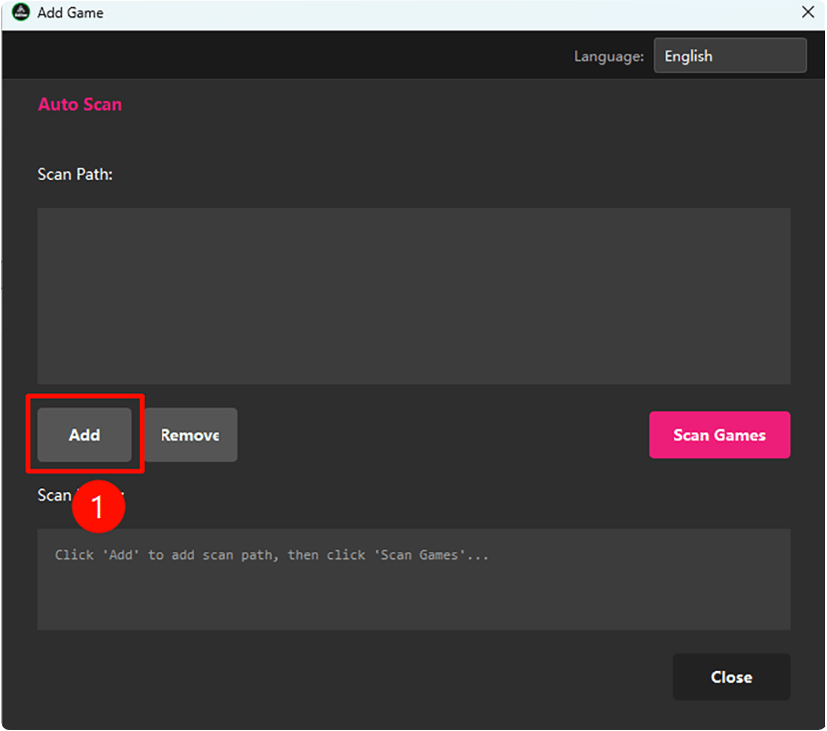
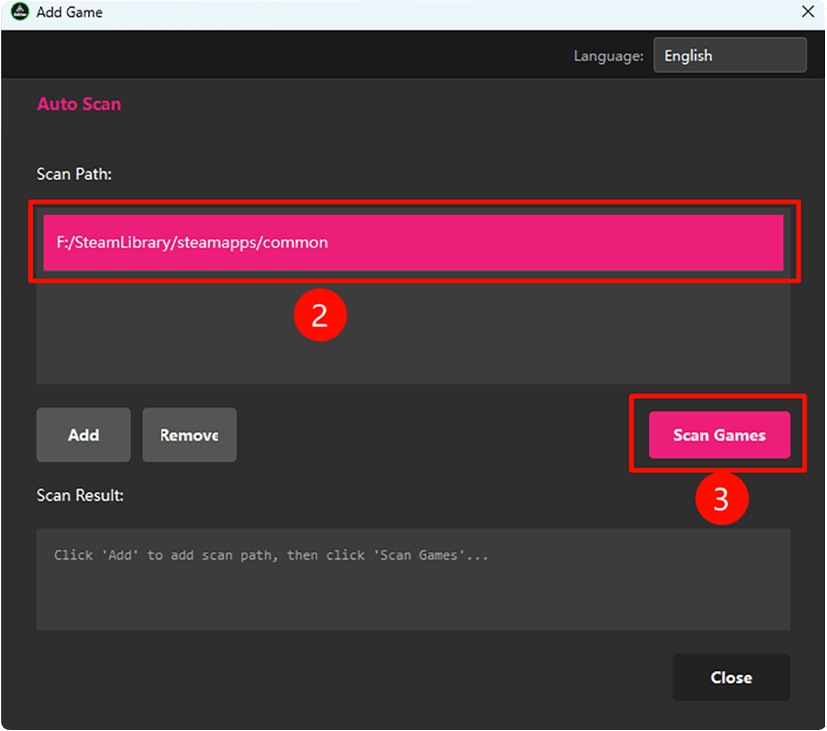
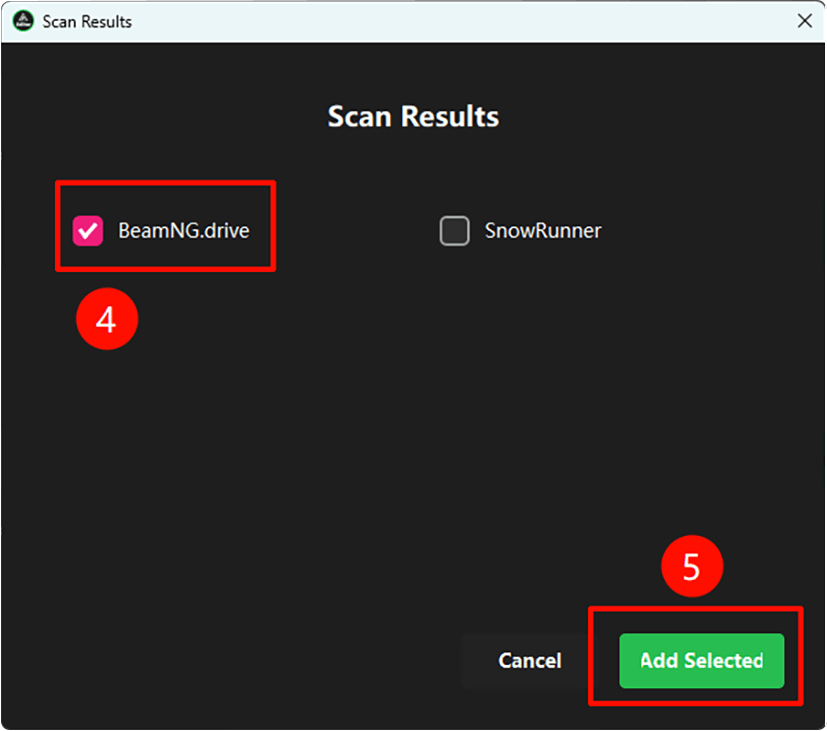
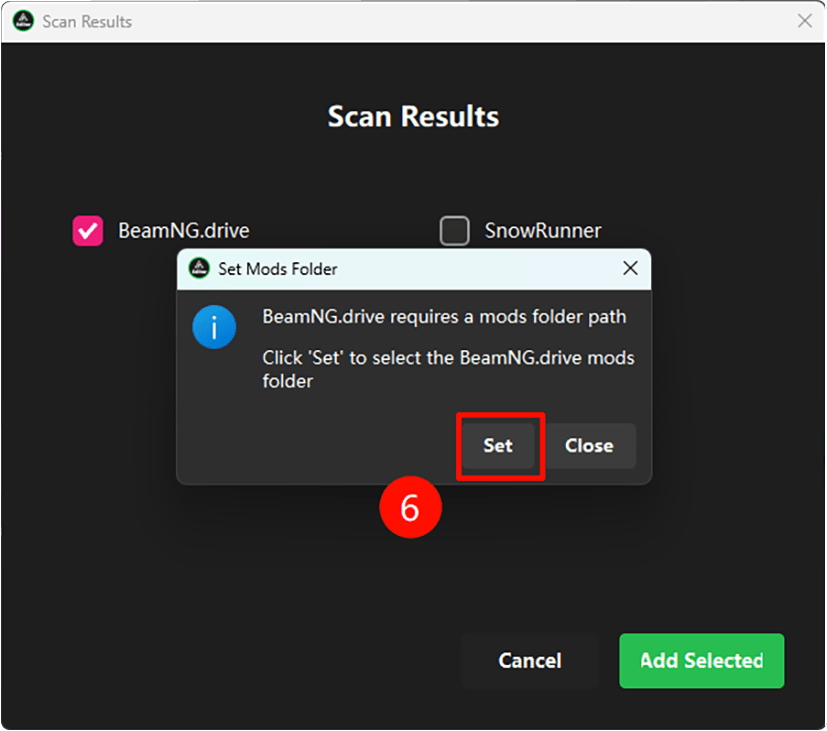
Use the "Add Game" dialog in the editor to add the game. The editor will prompt you automatically when switching to a game that hasn't been added yet.
For BeamNG.Drive, make sure the mods folder path is set correctly when adding the game. If mods are still not detected, re-add the game and verify the mods folder path.
After editing, save the parameters first, then click "Export to Game". Make sure the game is closed before exporting, otherwise the export will have no effect.
Directly editing game files requires locating config files and writing code - error-prone and hard to undo. GAM Vehicle Editor provides a visual interface, auto-backup before editing, and one-click restore, greatly reducing the risk of mistakes.
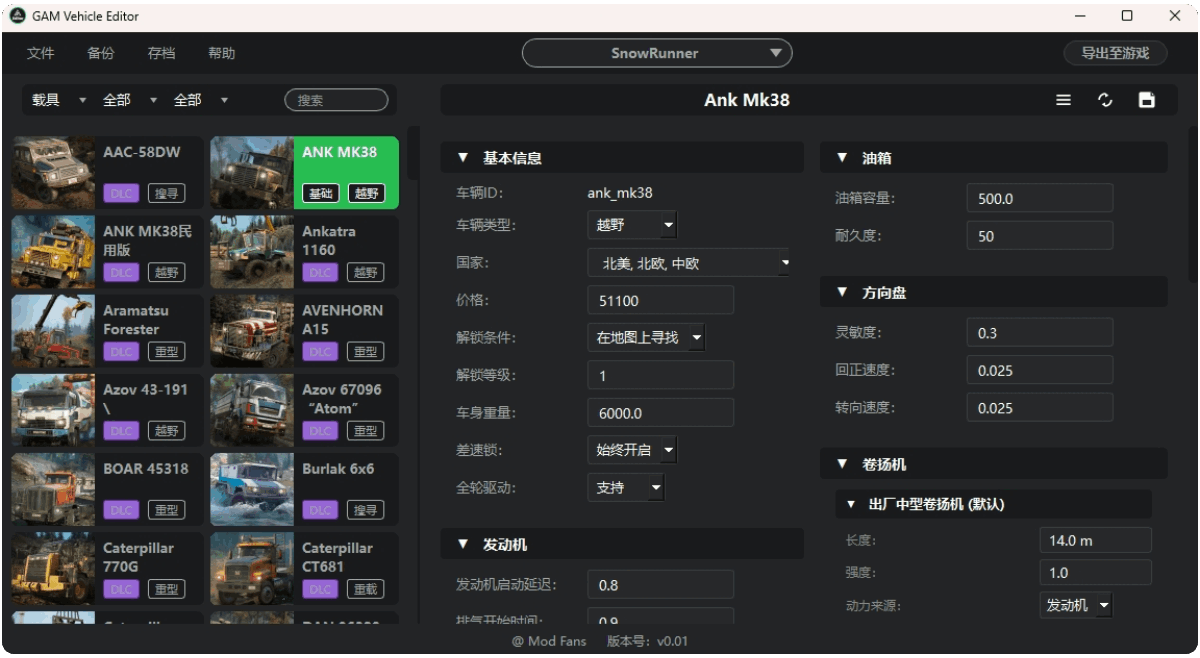
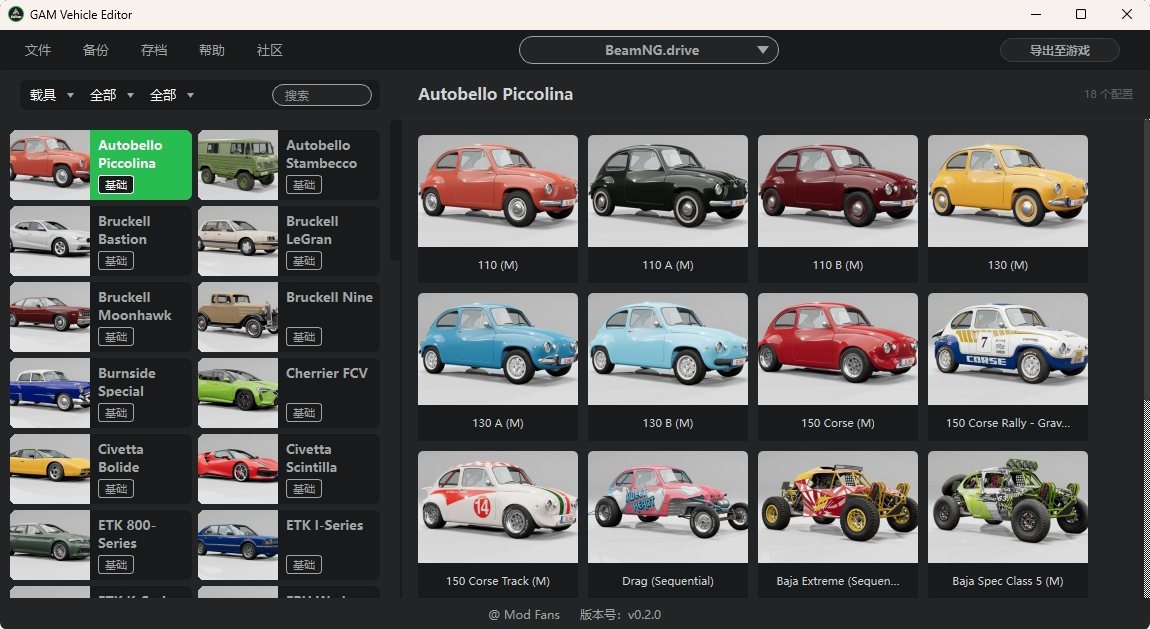
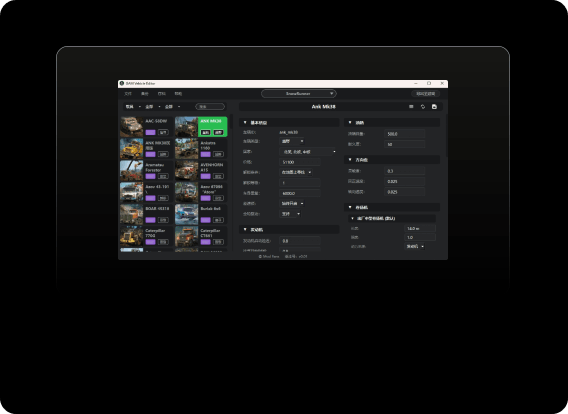
Launch GAM Vehicle Editor directly. Add a supported game via the Add Game dialog. The editor scans all vehicles automatically. Select a vehicle, adjust parameters, then click "Export to Game" to apply changes instantly.
GAM Vehicle Editor supports visual editing of BeamNG.Drive vehicle parameters - suspension, engine, tires - with auto-backup before changes, never corrupting original game data, and supporting reset to defaults at any time.
Recommended hardware to run GAM Vehicle Editor